A manager can add co-planners to an employee evaluation during Step One: Planning and Mid-Review and Step Three: Manager Review. A co-planner is one who has managed a portion of the employee's work assignment during the evaluation period. If there is a dual reporting relationship both leaders need to have input into an employee evaluation or if there are multiple reporting relationships during the evaluation period then all leaders need to have input into an employee evaluation. The employee’s manager can use the co-planner input when they are evaluating the employee’s performance and assigning ratings. This is a key factor for a complete performance evaluation and for employee development.
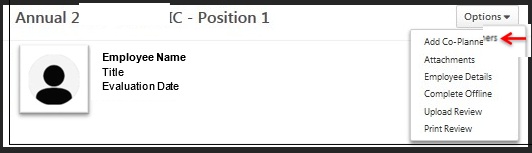
- On the drop-down Options Menu, select Add Co-Planners.
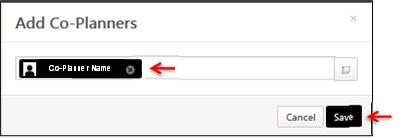
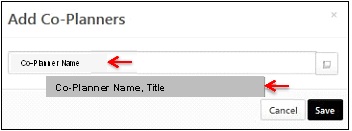
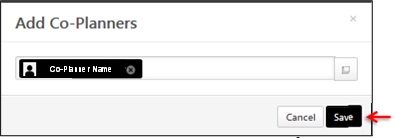
2. Enter the name of the co-planner to search for options, select the co-planner from the list and select Save.
3. The co-planner will receive an email notifying them of being assigned as a co-planner to an employee evaluation.

4. A separate comment box is assigned to clearly identify each co-planner and they can enter comments on competencies, goals, and general comments assessing the employee’s work performed under their direction or on their team.

5. The Manager can remove a co-planner at any time during the evaluation. The co-planner comments box will remain in the employee’s evaluation.