

Member Administration Portal Guidance:
Initial/Open Enrollment – Making Elections
Purpose :
Instructions to make Initial or Open Enrollment elections in MAP.
Instructions :
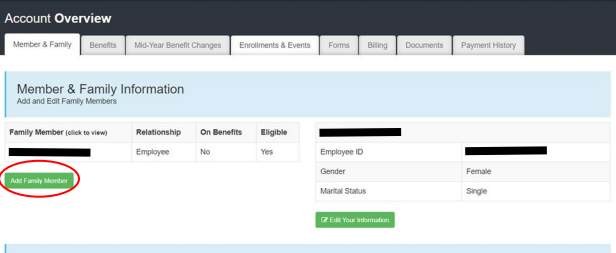
If adding new dependents for coverage select “Add Family Member” and complete this
process for each dependent.
Please note, once all elections have been made, it is important to verify that the correct covered dependents are listed for each election.
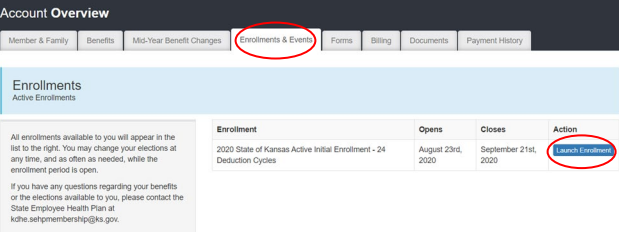
Navigate to Enrollments & Events tab, then click “Launch Enrollment”
On the Welcome screen, note the status table to the right. If the Status field reads "Not Yet Submitted," your elections have not been made. When the field reads "Enrollment Has Been Submitted," elections have been received by SEHP.