

Member Administration Portal Guidance:
Registering/Forgot Password
Purpose:
This document contains instructions for a member to register and log in to MAP.
Instructions:
MAP does not include a password reset function . If a member is unable to log in,
they can quickly re-register their information to gain immediate access to the portal.
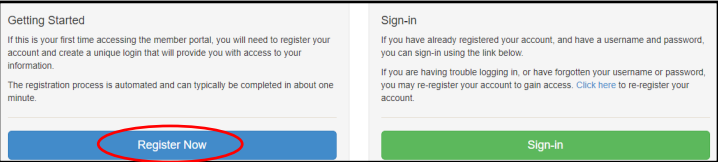
Go to https://sehp.member.hrissuite.com. Click the blue "Register Now" button.
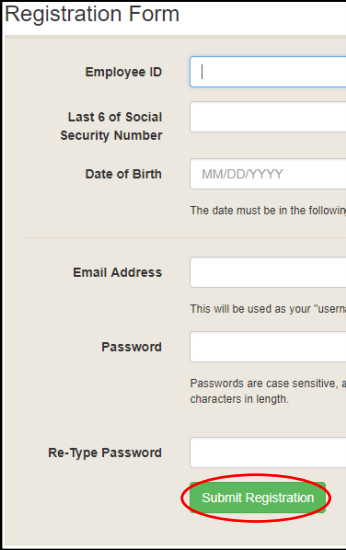
Complete the required fields to register.
1. The Employee ID is the SHaRP ID, not the WSU ID. To find your SHaRP ID, log in
to myWSU and hover the mouse over the white box in the SHaRP ID section. Your SHaRP
ID will appear.
2. Last six digits of SSN only
3. Date of birth, formatted MM/DD/YYYY
4. The email address is the primary email contact currently in MAP. By default, this
is the @wichita.edu, @niar.wichita.edu, or @shockers.wichita.edu email address.
5. Create your new password.
Click "Submit Registration" to complete the process. You will immediately be able
to login using the email
address and password you just registered.
For help navigating the enrollment portal to submit your elections, review the Making Elections guide.
SME: SDM/JB
Updated 10/16/2026 SDM