

Editing an Existing Program
Accessing the Dashboard
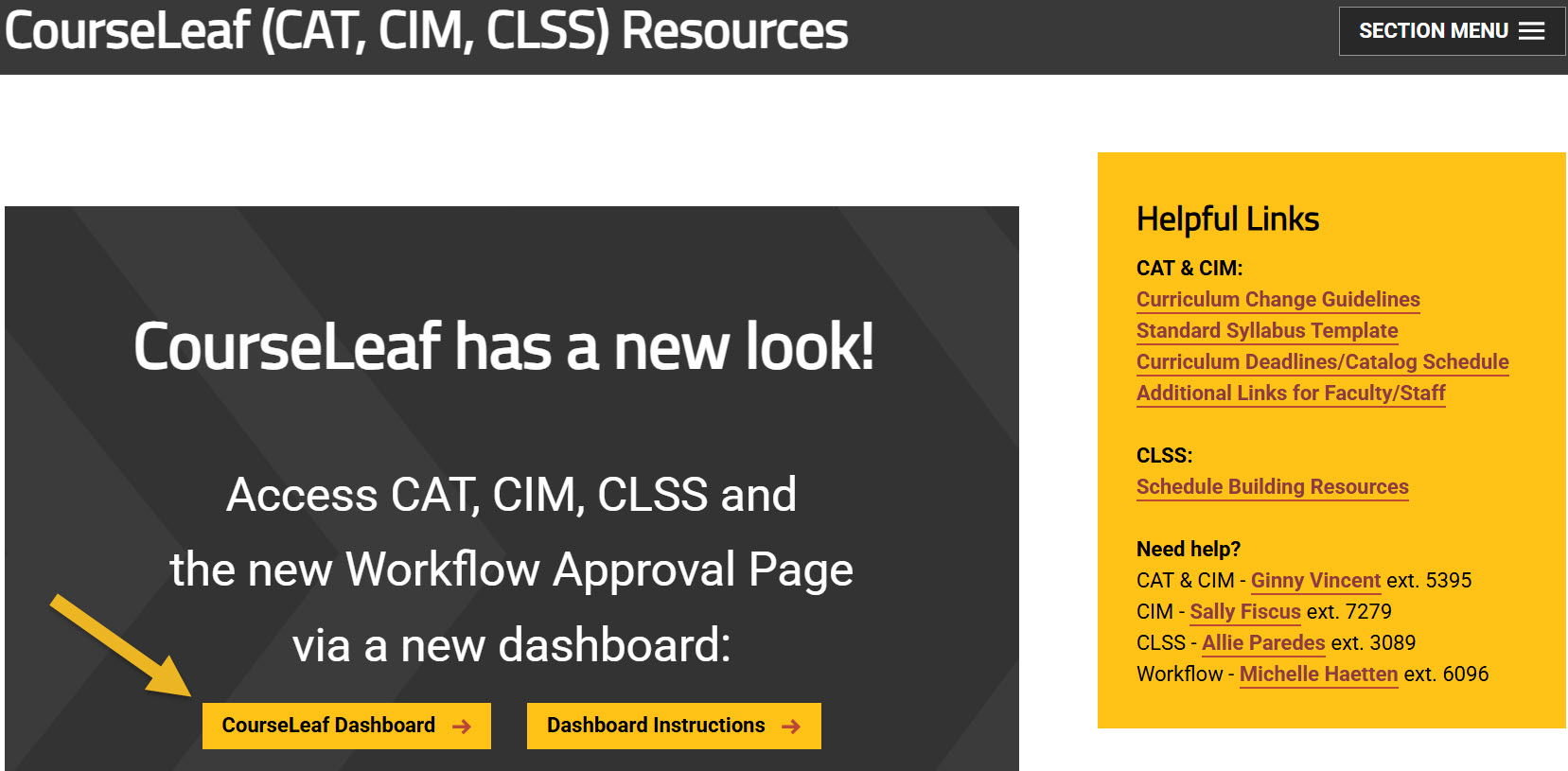
Using any web browser except Internet Explorer, go to the CourseLeaf (CAT, CIM, CLSS) Resources page (https://wichita.edu/courseleaf) and click the gold CourseLeaf Dashboard button link:
Accessing Program Management
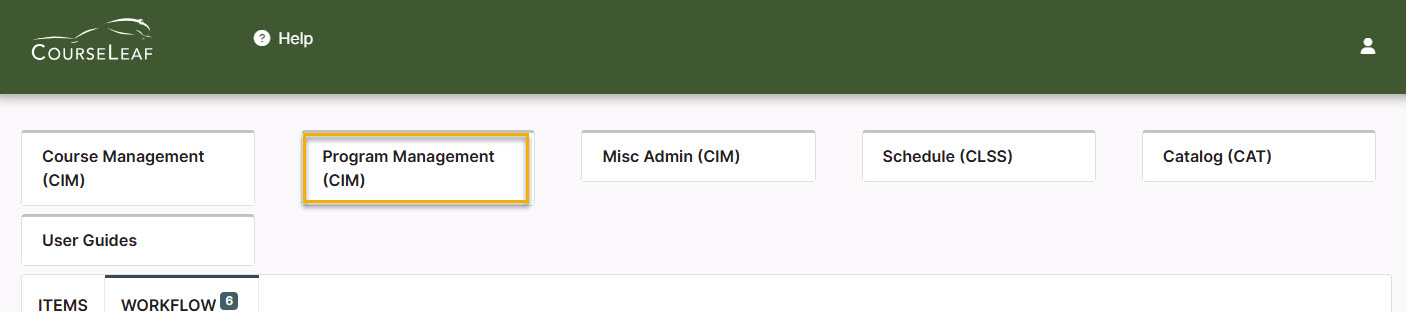
Once in the Dashboard, click on the Program Management (CIM) Module Card to be taken to the Program Management system.
Editing a Program Steps
Step 1: Search for the Program to Edit
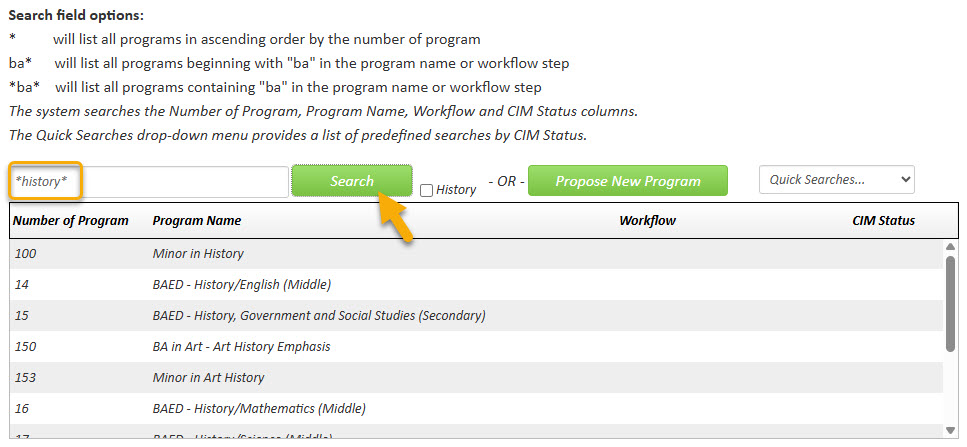
In the Program Management system there are various ways that you can search for the program you want to edit. You can type in the program number or use the asterisk as a wildcard to search for words in the Program Name:
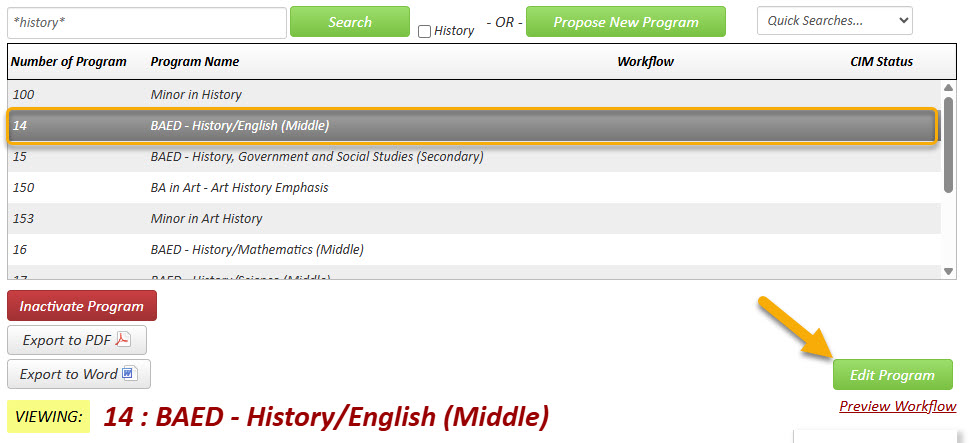
Click on the program that you want to edit to select it. Then click the green ‘Edit Program’ button:
 A new window will open displaying the current values of each field for this program.
Step 2: Actions Being Taken
As you begin reviewing and revising the program proposal form, you will see that required fields are shown in red and blue question marks denote WSU-specific help information.
After filling out the contact information, check the appropriate option under applicable actions:

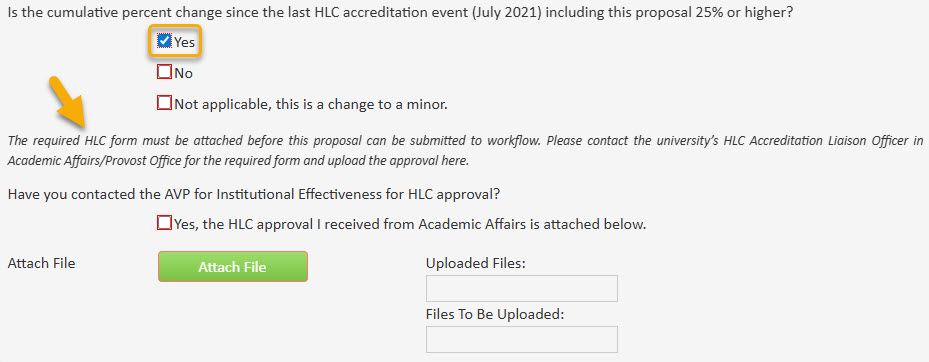
If you select ‘Change in requirements for program’ you will be asked what percentage of the degree requirements are being changed with this proposal and whether more than 25% of the program has changed since the last HLC accreditation event:
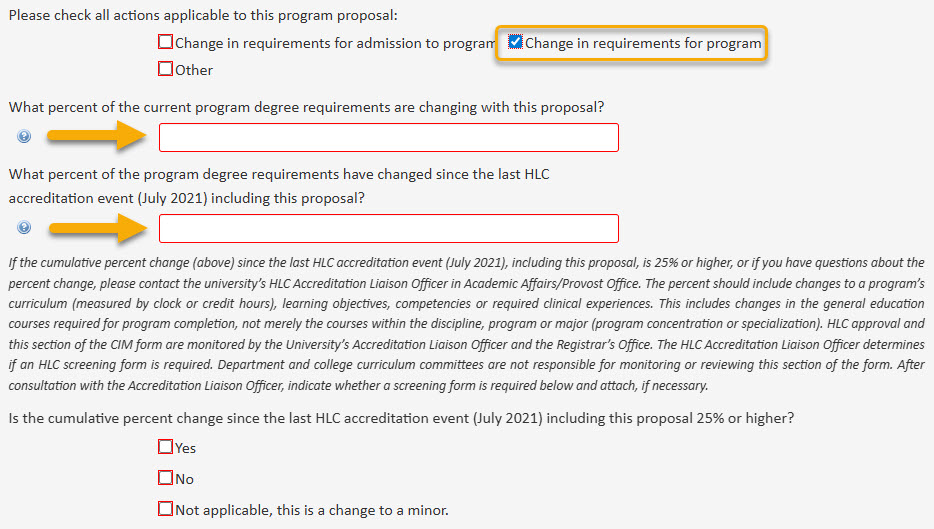
Please Note: If the cumulative percent change since the last HLC accreditation event (July 2021), including this proposal, is 25% or higher, or if you have questions about the percent change, please contact the university’s HLC Accreditation Liaison Officer in Academic Affairs/Provost Office. The percent should include changes to a program’s curriculum (measured by clock or credit hours), learning objectives, competencies or required clinical experiences. This includes changes in the general education courses required for program completion, not merely the courses within the discipline, program or major (program concentration or specialization). HLC approval and this section of the CIM form are monitored by the University’s Accreditation Liaison Officer and the Registrar’s Office. The HLC Accreditation Liaison Officer determines if an HLC screening form is required. Department and college curriculum committees are not responsible for monitoring or reviewing this section of the form. After consultation with the Accreditation Liaison Officer, indicate whether a screening form is required and attach, if necessary.
Step 3: Effective Term
The Registrar’s Office has specific guidelines for selecting the effective term of edits to existing programs.

Program edits need to be effective the Fall term of the next unpublished catalog. For example, after the 2025-2026 catalogs are published, all program edits need to have a Fall effective term of the next unpublished catalog, Fall 2026.
Program edits have to reach the end of the CIM workflow process by the catalog deadline in order to be effective for that Fall term. Check the Curriculum Deadlines/Catalog Schedule on https://wichita.edu/courseleaf to learn the deadlines for the upcoming catalog.
Any program edits submitted to workflow after January 1st will have the effective term moved to the Fall of the next catalog (not the catalog currently preparing for publication). Example: On January 1st, 2026, program edits will have their effective term moved to Fall 2027 for the 2027-28 catalog. If those CIM proposals happen to reach the end of workflow before the deadline for the 2026-27 catalogs, then we will allow the effective term to be Fall 2026.
These guidelines help to ensure that program information in the catalog is accurate for students and advisors. If you have questions or concerns with these effective term guidelines, please contact the catalog editor, Ginny Vincent.
Step 4: Requesting New Major Code - On Ground and Online Codes
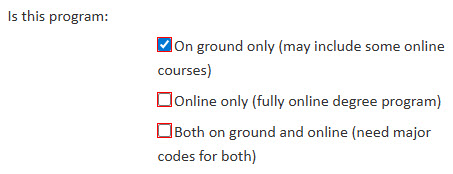
If you are wanting to request a new code for an existing program, you can indicate this with the below section of the CIM form. If the program is moving to be offered only online, then mark the ‘Online only’ option. If the program needs both an on ground and online code, then select the ‘Both on ground and online’ option.
Step 5: Editing Program Admissions and Requirements Information
Refer to other program guides like Editing a Course List Table or Editing a Plan of Study Table for detailed instructions on how to populate and format any course tables in the ‘Admissions’ and ‘Requirements’ areas.
Any additional information not in a table can be edited like any other text document. If you are copying and pasting any text from another location (i.e. Microsoft Word document), please use 'Paste as Plain Text' in order to remove any code on the back end that might cause issues in CIM.

Step 6: Justification
Describe the changes being made and the reasoning for them in this section. A proposal cannot be sent through workflow with ‘N/A’ in the justification section.

Step 7: Impact on Other Departments
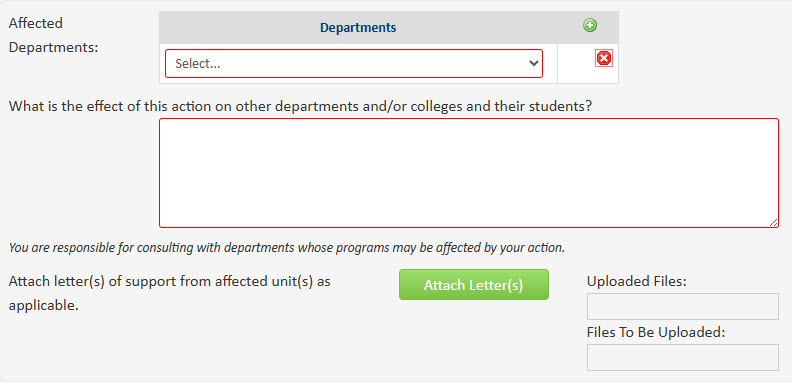
New and changes to programs often impact other departments/colleges. Adding or removing required courses offered by other departments, creating content that overlaps with existing programs, and other changes that could impact the enrollment of existing programs or courses are examples of ways other departments and/or colleges may be impacted. If your program has an impact on another department and/or college, then select ‘Yes’ for the question below.
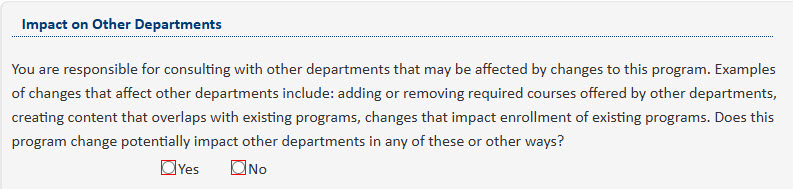
Selecting ‘Yes’ will open additional fields. Use the drop-down menu arrow to select the ‘Affected Departments‘ and explain the effect your program may have on these departments. Attach any letters of support as needed.
Step 8: Resources
List any needed resources for this change, and attach letters of support from any affected departments (i.e. if using courses from outside your department).
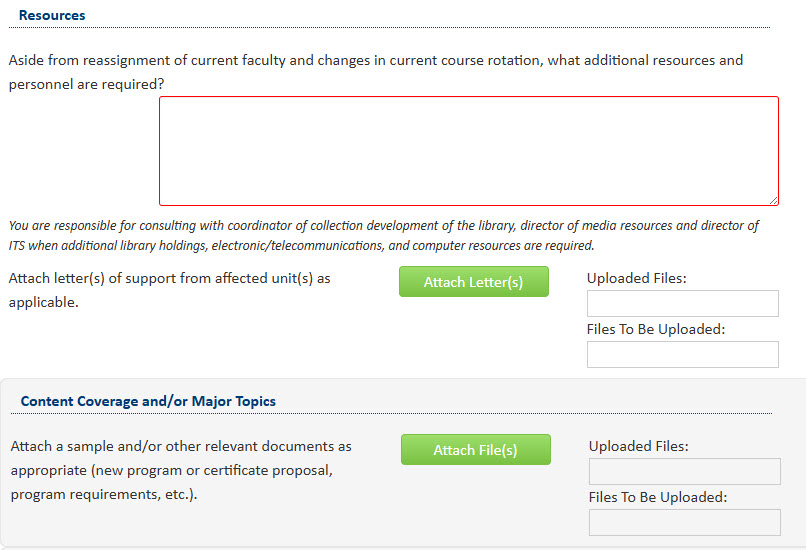
Also, be sure to attach all relevant documents such as new program requirements.
Step 9: Applied Learning
Applied Learning requirements are required for all programs except certificates, minors, and departmental honors. Accelerated degree programs also do not require separate Applied Learning requirements as those requirements are fulfilled by the bachelor and master’s degrees.
For program changes that include changing the Applied Learning requirements, mark the below question as “Yes” and fill out all of the required information.

Step 10: Finishing Edits
If you can’t finish making your revisions right now you can simply scroll to the bottom of the form and click the ‘Save Changes’ button. When you are ready to return to this proposal you can use the same links as in Step 1 above to access CIM again. Then, search for the program, select it, and click the ‘Edit Program’ button.
Step 11: Submit to Workflow
When you are done making changes to the program, submit the program proposal to the electronic workflow approval process by clicking the green ‘Start Workflow’ button.
