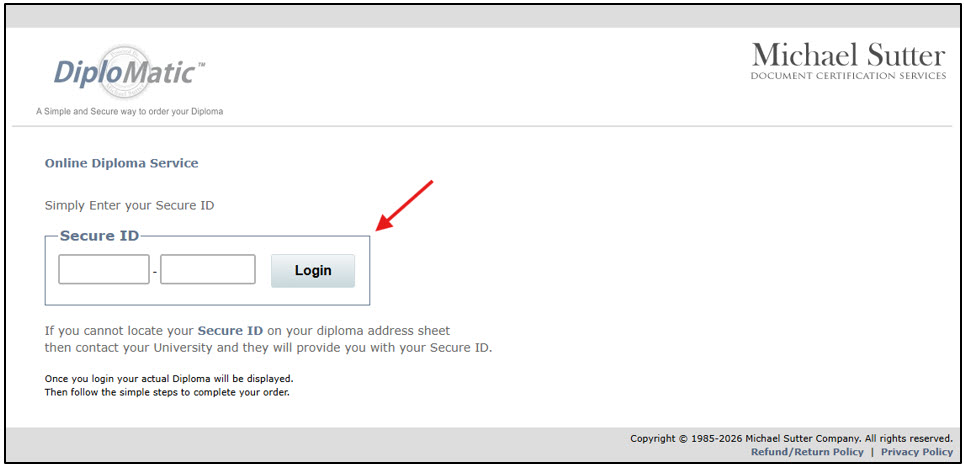
How to Order an eDiploma
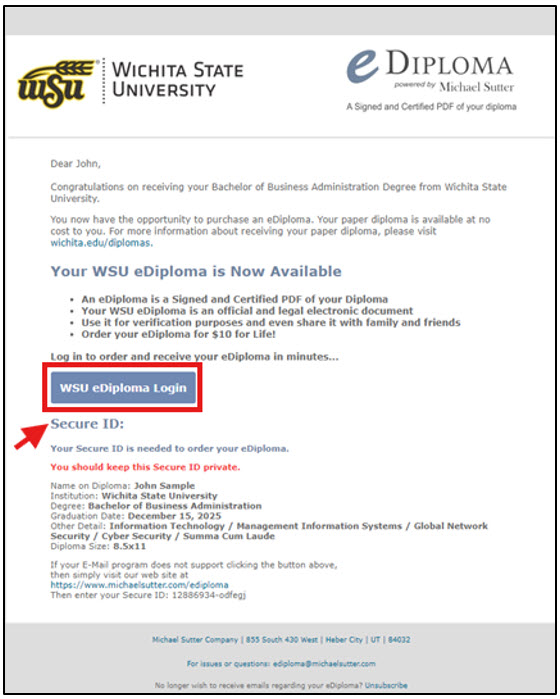
- You will receive an email from WSU's eDiploma vendor, the Michael Sutter Company (ediploma@michaelsutter.com), that contains the Secure ID needed to place an order for an eDiploma. Click on
the WSU eDiploma Login button.
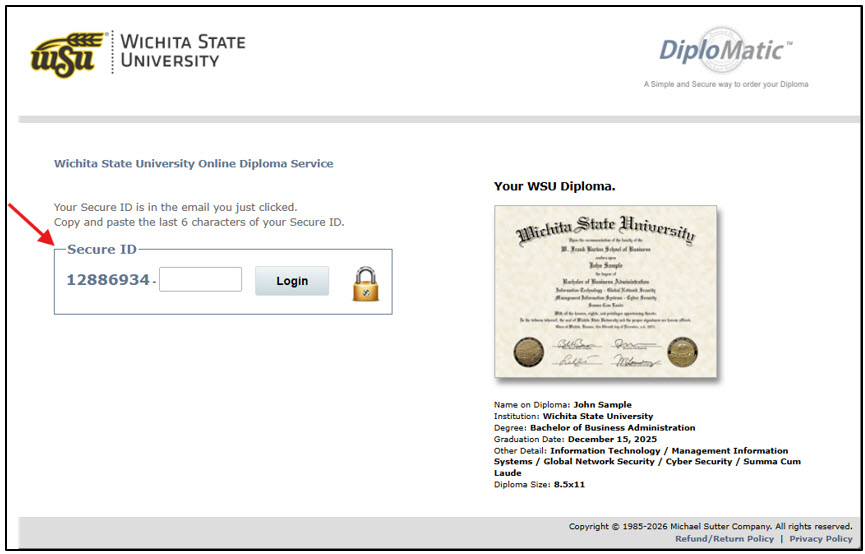
- You will be directed to a page where you will enter the Secure ID you received in
the email.
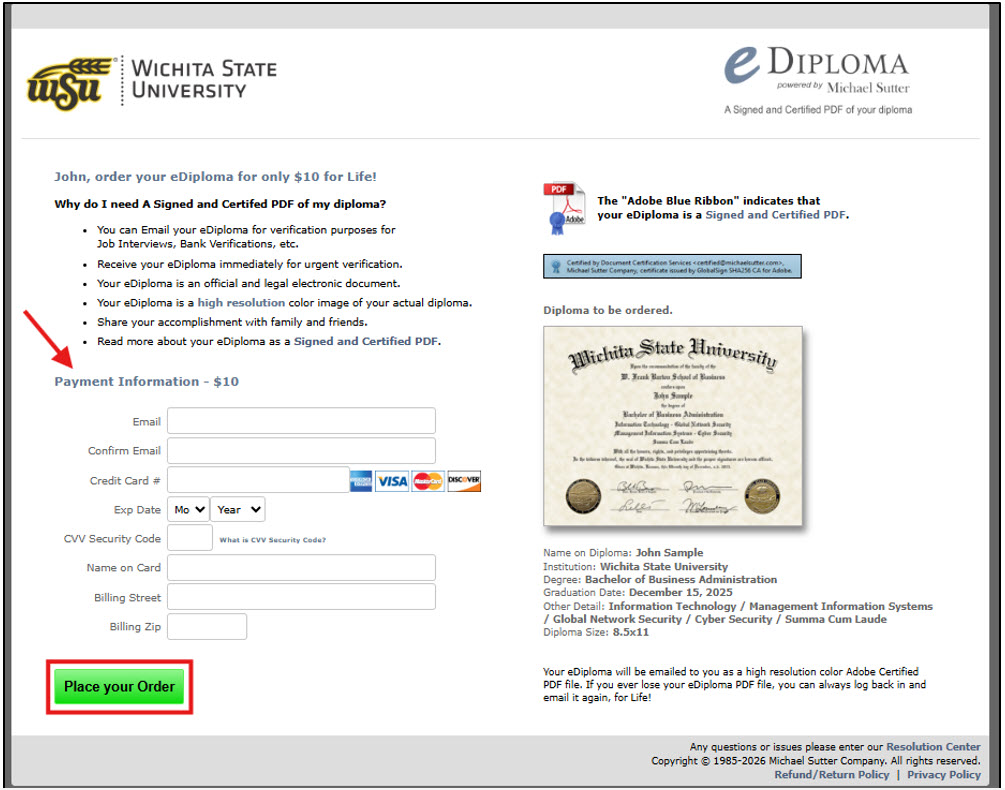
- After entering your Secure ID, you will be taken to the payment page. Enter your payment
information and click on the Place your Order button.
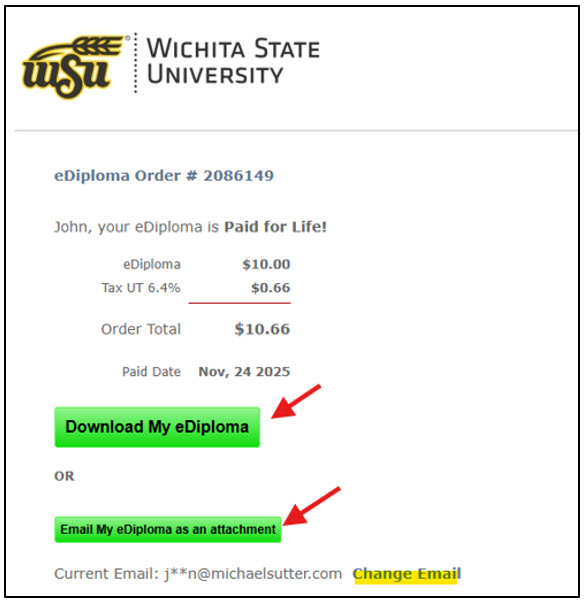
- After you have placed your order, you will be taken to the order confirmation screen.
From here, you can download your eDiploma and email your eDiploma as an attachment.
You may also update the email address where you would like for your eDiploma to be
sent.
- Once you have completed your purchase, your eDiploma is yours for life. To access
your eDiploma for additional download and/or email, you can use your Secure ID to
login to our eDiploma service.